.png)
34 fonts, 17 palettes, one editor — redesign your changelog!
August 18, 2026This morning we gave you four new designs. We buried the lede.
The design is one of three new improvements we've made with our hosted changelogs. The other two are the fonts your page is set in and the colors it is painted with, and if you have not touched either, your changelog is currently wearing last season's outfit. Time to fix that.
An improved design editor
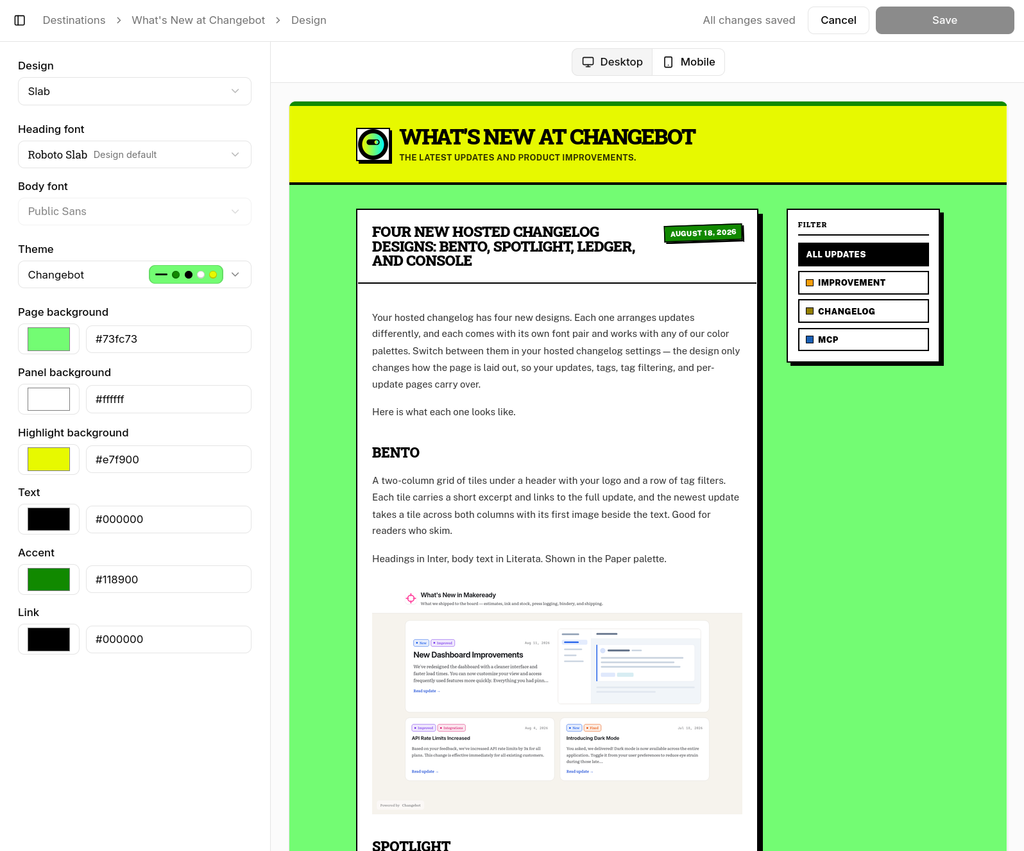
Design editing has its own full-page editor now: Destinations → your changelog → Design → Edit design.
Controls on the left — design, heading font, body font, theme, six colors. You can preview your actual changelog with your actual updates, repainting the instant you make a change. Flip the preview between desktop and phone with one toggle.
Fonts, and curated font pairings
Your page contains two fonts: one for headings and one for body copy. You can now customize them. Pick from 20 heading fonts, and each one is paired with up to eight body fonts that we've curated.
So yes, you can absolutely ruin your changelog — but not with typography.
Here are all 20, each set in itself, next to the first body font on its list:
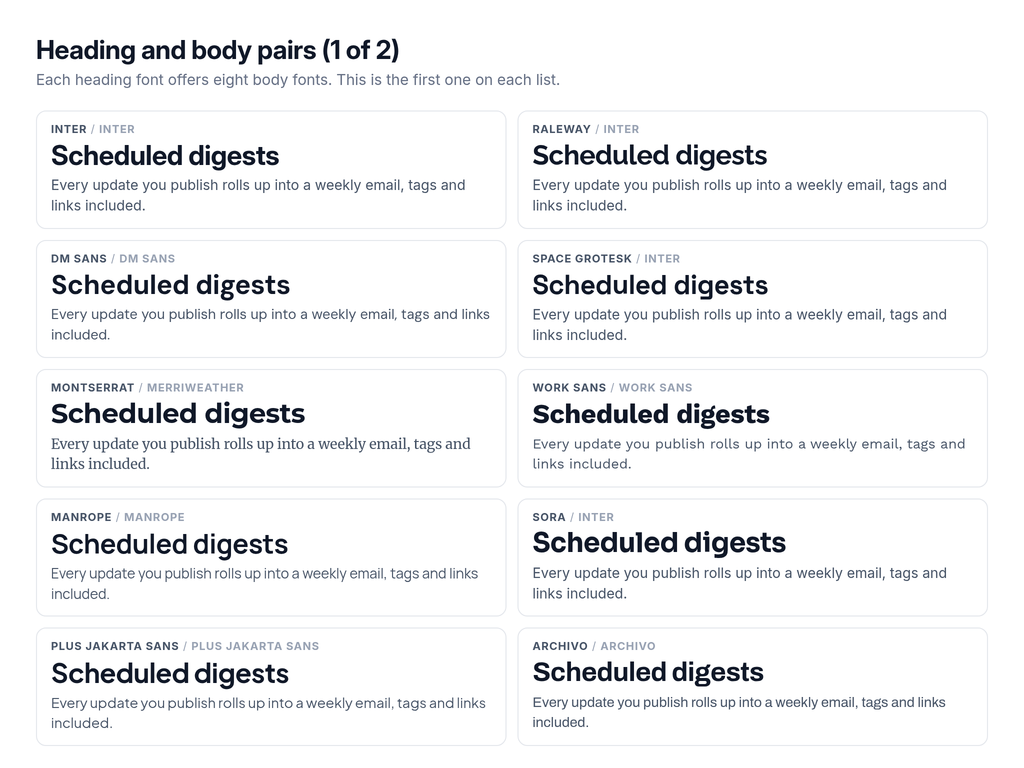
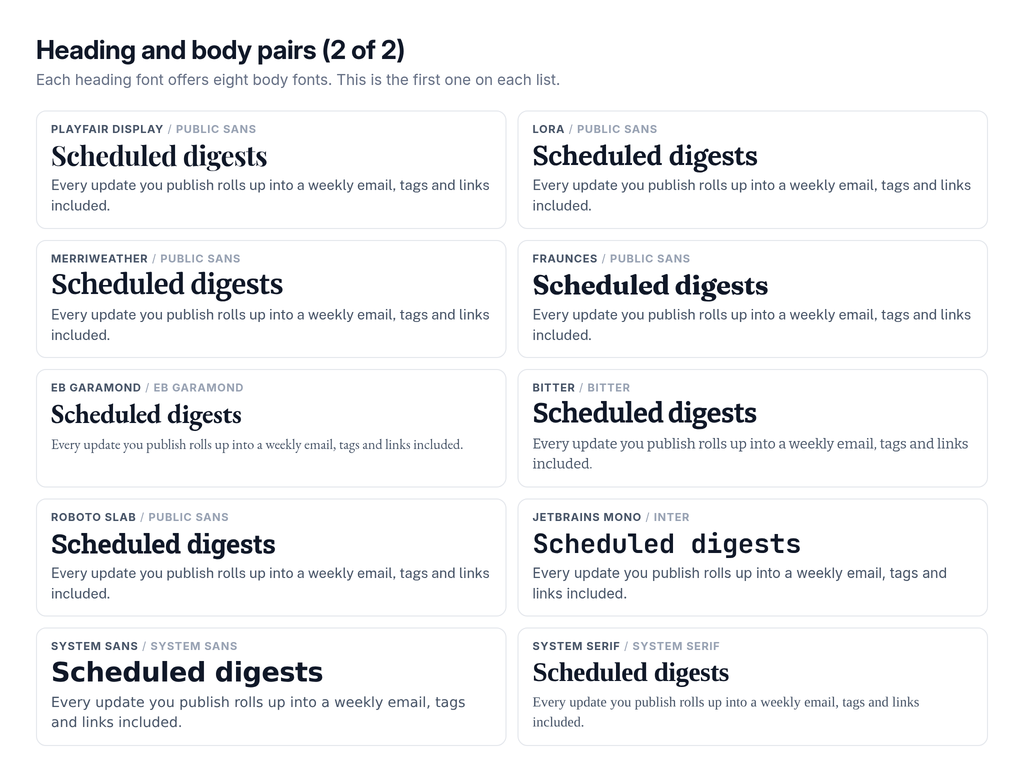
Additionally, we include fourteen fonts that are only available as body fonts: Public Sans, Source Sans 3, Figtree, Hanken Grotesk, Nunito Sans, Source Serif 4, Literata, Newsreader, Crimson Pro, Piazzolla, Roboto Serif, Roboto Mono, Source Code Pro and System mono.
That is 34 in total. Thirty-one are variable fonts we host ourselves, subset to Latin and stripped down to the weight axis — nothing phones Google at load time, and a visitor downloads exactly the one or two very small, stripped-down files your page uses. The last three are system stacks, which ship nothing at all and use whatever the reader’s device already has.
Seventeen palettes that you can use with any design
A palette is six colors: page, panel, highlight, text, accent, link. Everything else the page paints — body copy, dates, hairlines, the ink on a button, link hover — falls out of those six on its own.
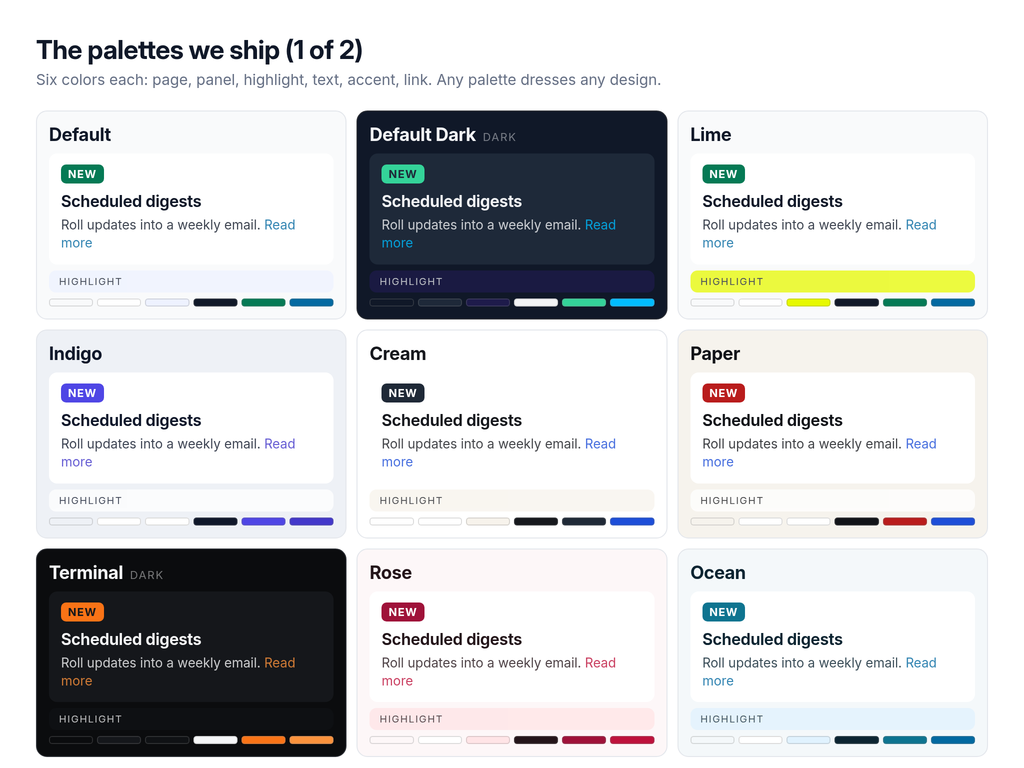
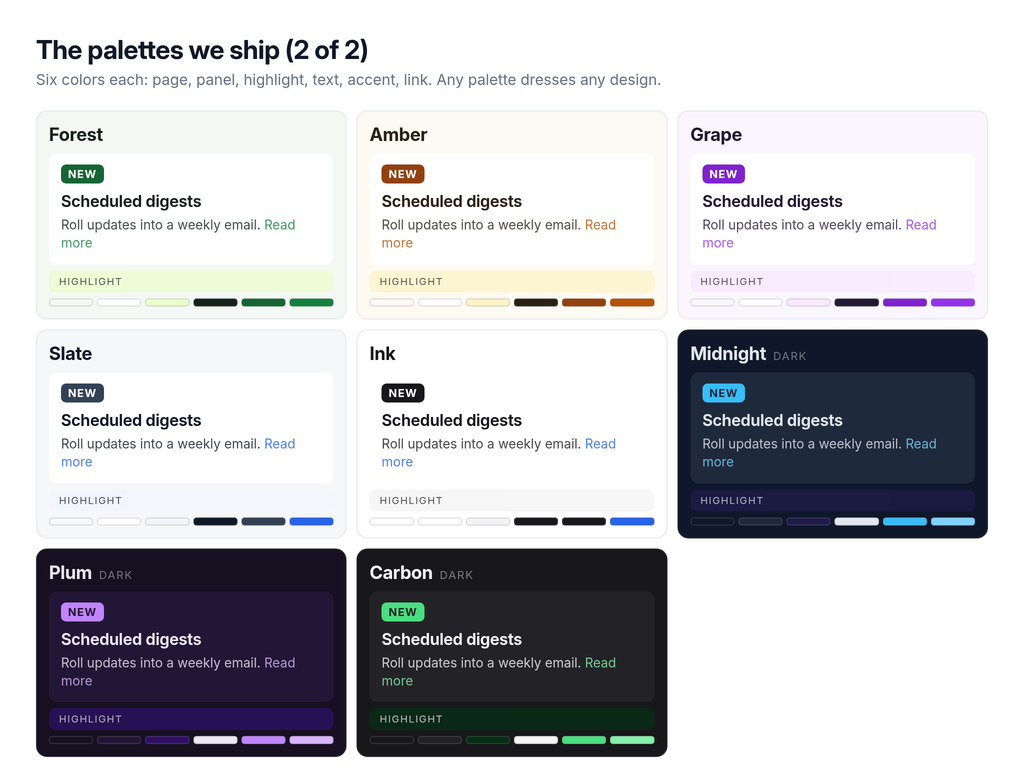
All seventeen clear 4.5:1 contrast for body text and links against the fill they sit on.
Or bring your own six colors
You can create your own color palette if you want as well!
Use one of ours as a starting point to make your own. Your version saves as a theme your team owns and lands in the picker in your own group, above ours. Edit a theme you already own and it saves in place, and every changelog pointed at it updates. Set your brand colors once, use them everywhere.
Your agent can do all of this too
Driving Changebot through MCP? Ask your agent to create a theme that matches your marketing site. It has all the tools it needs:
list_fontshands over the pairing table, so an agent knows which body fonts go with a heading font before it commits.list_themesreturns your themes and ours, colors included.create_themeandupdate_themewrite a palette your team owns.update_destinationsets the design and both fonts. Pass"default"for a font to fall back to the design’s own pair.preview_destinationrenders any combination you like at a link you can open, saving nothing.