Changebot makes it easier to keep customer updates organized and polished, from AI-assisted tag management to clearer hosted changelog visuals.
Manage Custom Tags with AI Agents
AI agents can now work with your team’s custom tags directly through MCP, making it easier to choose the right tags when creating or updating customer updates. Custom tags stay organized for your team, while built-in and product tags remain.
Sharper, More Flexible Hosted Changelog Images
Tall screenshots, full-page captures, and high-resolution uploads now display more clearly without being squeezed into narrow strips. Hosted changelogs keep images compact and readable at up to 560 pixels tall, while the lightbox provides a larger, scrollable view on index and individual update pages. We also now support animated WebP images.
More Consistent Hosted Changelog Design
Hosted changelogs now share a clearer visual hierarchy across themes, with more readable line lengths, typography, headings, and code styling. Mobile layouts are easier to scan, and Spotlight wordmarks display at a more natural size.
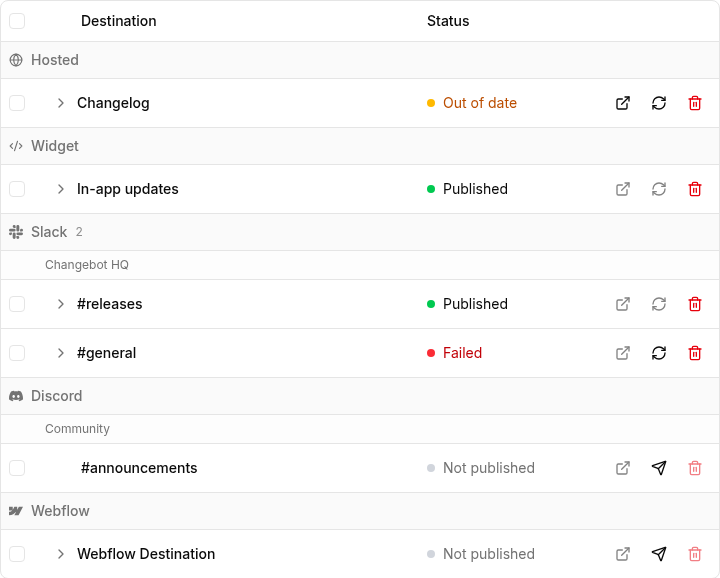
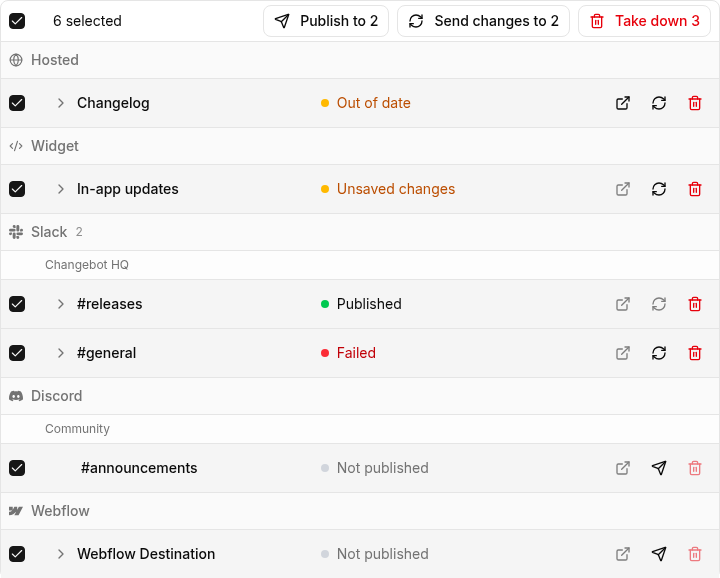
Everywhere an update goes now lives in one table on the Publications tab, and the things you used to have to republish to change — the date an entry is filed under, whether the widget shows it as a banner, when it stops showing — you change in place.
Every destination in one table
The tab used to be a stack of cards with a second stack underneath for the destinations the update had not reached. It is one table now, grouped by destination type, with Slack and Discord divided again by workspace so a row reads #releases instead of repeating the workspace on every line. A destination you have not published to is a row like any other.
Status is a dot and a word. Every row ends in the same three buttons — open the entry, send the update to it, take it down — dimmed where they do not apply.
Open a row to see what is actually live
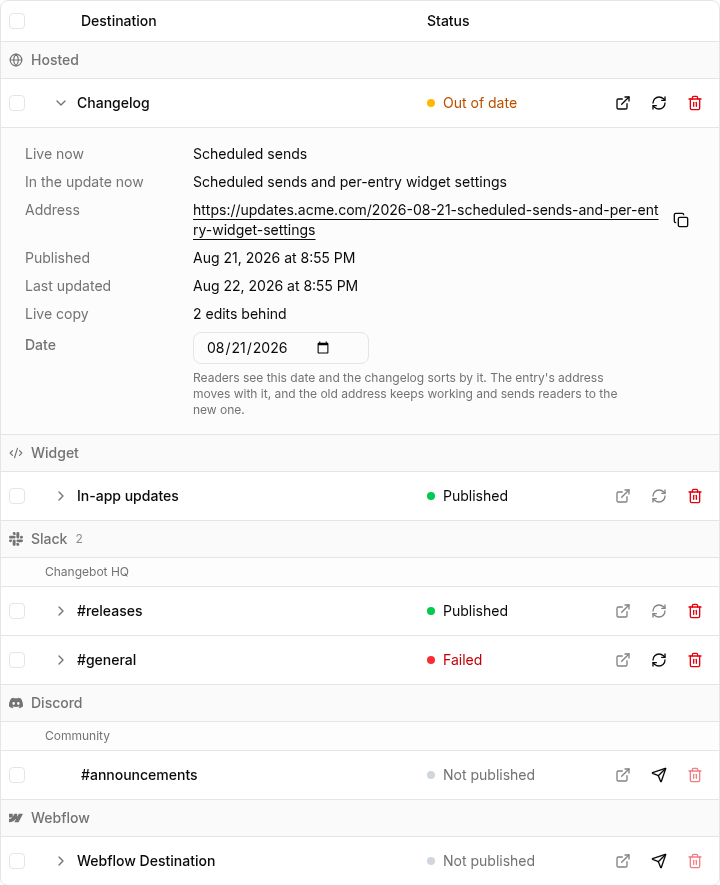
The chevron opens the row onto the live copy: its address with a copy button, when it went out, when it was last updated, and how far behind the live version has fallen. Where the live title differs from the one in your draft, you see both, labeled. A failed push shows its full error text instead of the word “Failed” and nothing else.
Change the date, the banner, and the expiry after publishing
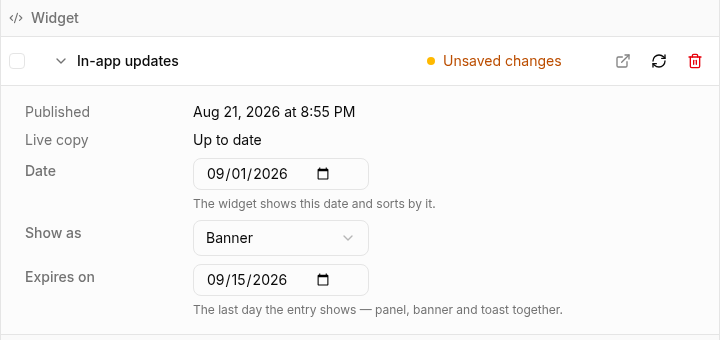
The same panel holds the settings for that one destination. The date the entry is filed under is now editable per destination — the hosted changelog sorts by it and builds the entry’s address from it, and the old address keeps working and forwards readers to the new one.
For a widget entry, Show as and Expires on sit right below the date. Turning a banner off, or giving an entry a last day, used to mean deleting it and publishing again.
Nothing here saves on its own. The row’s own send button carries whatever you changed, so one press covers the content and the settings together, and the row says Unsaved changes until you press it.
Act on several rows at once
Tick rows and the heading turns into a bar. Each button acts on exactly what it names: Publish takes the ticked rows with nothing on them, Send changes takes the ones that are up and behind, Take down takes everything still standing. Hovering a button fades the rows it will not touch, and a button with nothing to act on is not on the bar.
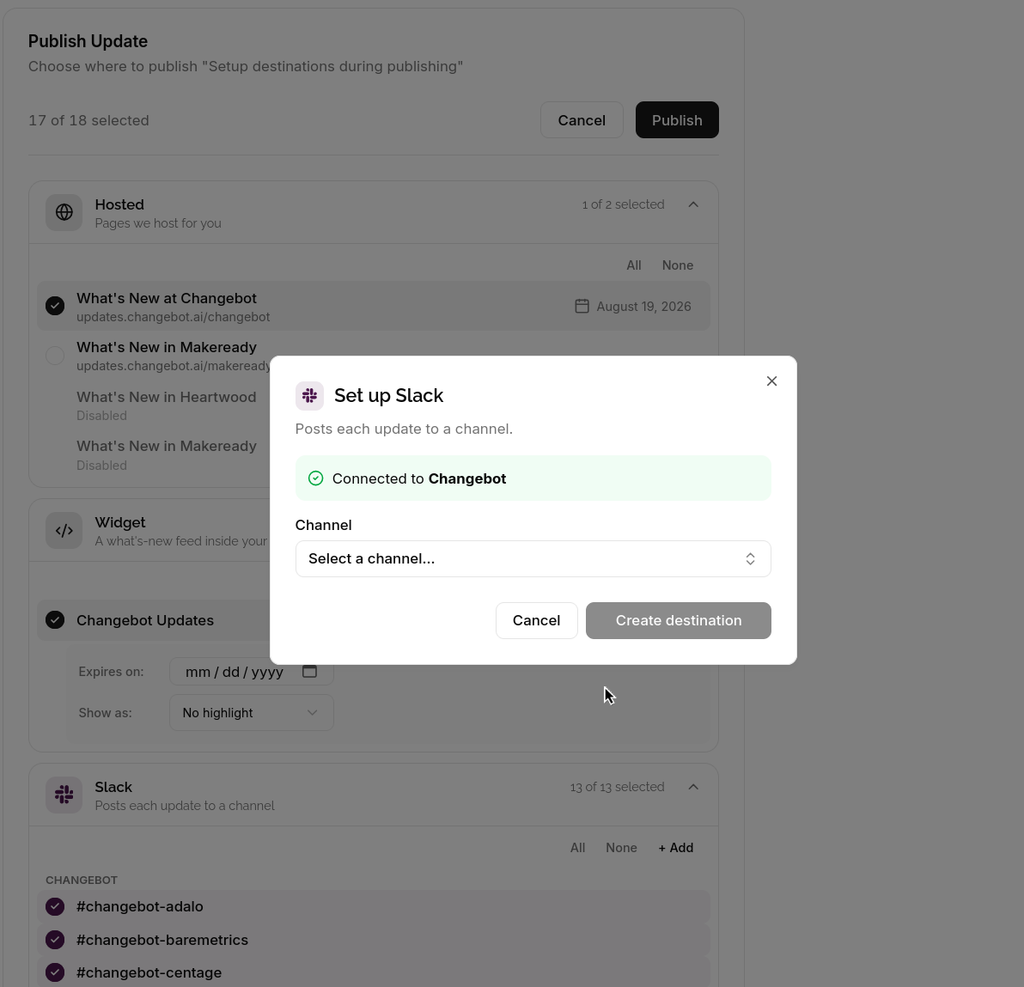
You can now add a destination while you're in the middle of publishing and return immediately to the Publish flow.
If you forgot to add a Slack channel, Discord channel, or widget after leaving the editor, set it up without interrupting publishing — no page reloads or lost work.
Cleaner, consistent layout and accessibility
Pages across the app now share a single layout and clearer header behavior so navigation and keyboard/screen-reader interactions feel more predictable.
Breadcrumbs now act as the page title and primary actions live in the top app header, giving you more consistent space for Save/Publish controls.
Standardized header, spacing, and page alignment so content lines up to a single left edge and pages feel steadier.
Lists and tables are easier to use: improved keyboard focus and link behavior, and rows are simple to navigate with the keyboard.
Items in lists and tables can be opened in a new tab for quick reference without disrupting your flow.
Action menus are grouped for a clearer keyboard flow and faster access to common tasks.
Accessibility and visual fixes make keyboard and assistive‑tech behavior more reliable and reduce surprising layout shifts.
Fixes to the publish page label, the Inbox sticky bar border, and card styling reduce layout glitches and make pages more consistent.
This morning we gave you four new designs. We buried the lede.
The design is one of three new improvements we've made with our hosted changelogs. The other two are the fonts your page is set in and the colors it is painted with, and if you have not touched either, your changelog is currently wearing last season's outfit. Time to fix that.
An improved design editor
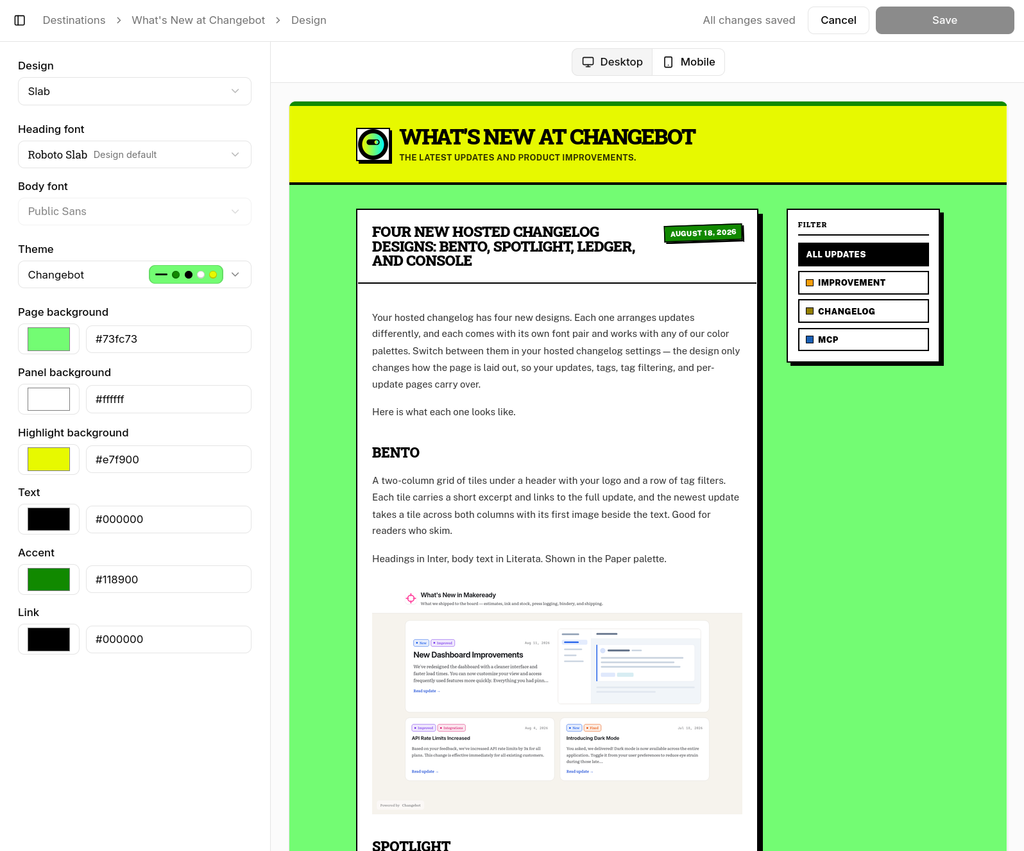
Design editing has its own full-page editor now: Destinations → your changelog → Design → Edit design.
Controls on the left — design, heading font, body font, theme, six colors. You can preview your actual changelog with your actual updates, repainting the instant you make a change. Flip the preview between desktop and phone with one toggle.
Fonts, and curated font pairings
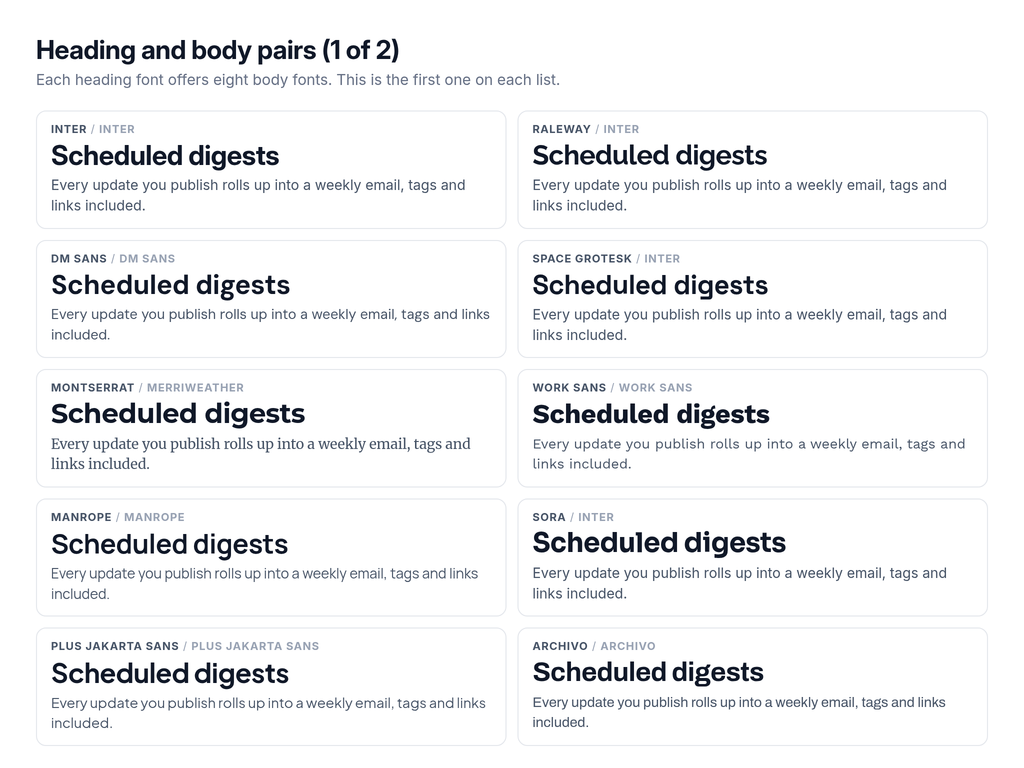
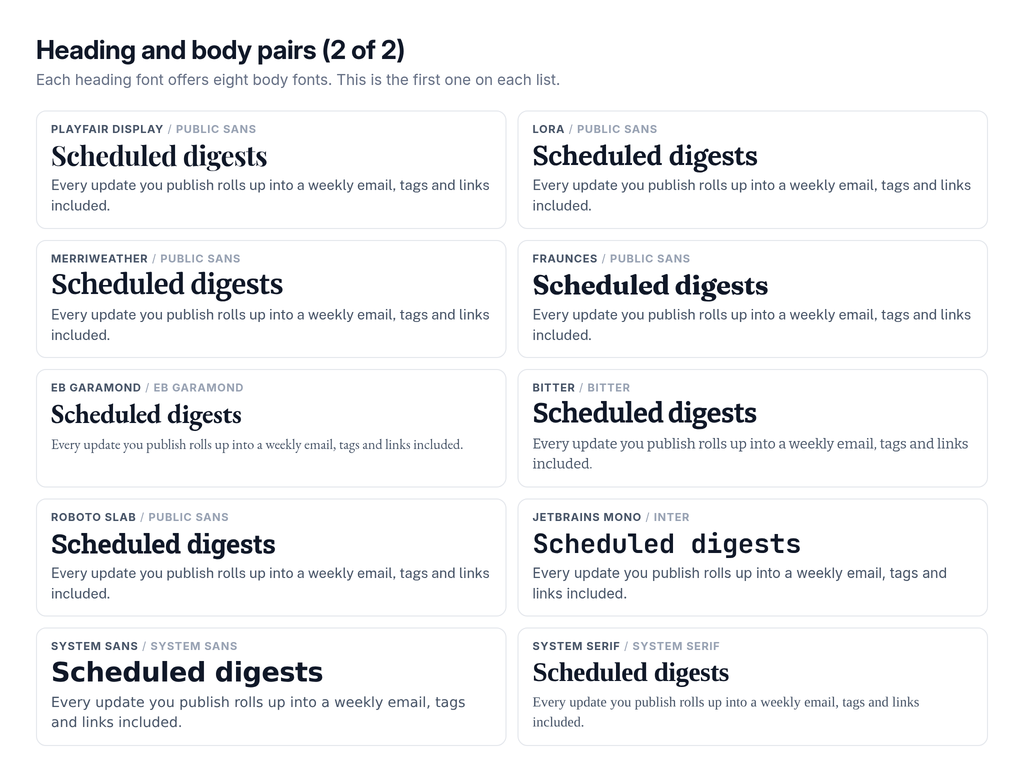
Your page contains two fonts: one for headings and one for body copy. You can now customize them. Pick from 20 heading fonts, and each one is paired with up to eight body fonts that we've curated.
So yes, you can absolutely ruin your changelog — but not with typography.
Here are all 20, each set in itself, next to the first body font on its list:
The font stack is independent of the design and the color palette. So you can experiement with different designs, colors, or fonts to find the perfect changelog for your product.
Additionally, we include fourteen fonts that are only available as body fonts: Public Sans, Source Sans 3, Figtree, Hanken Grotesk, Nunito Sans, Source Serif 4, Literata, Newsreader, Crimson Pro, Piazzolla, Roboto Serif, Roboto Mono, Source Code Pro and System mono.
That is 34 in total. Thirty-one are variable fonts we host ourselves, subset to Latin and stripped down to the weight axis — nothing phones Google at load time, and a visitor downloads exactly the one or two very small, stripped-down files your page uses. The last three are system stacks, which ship nothing at all and use whatever the reader’s device already has.
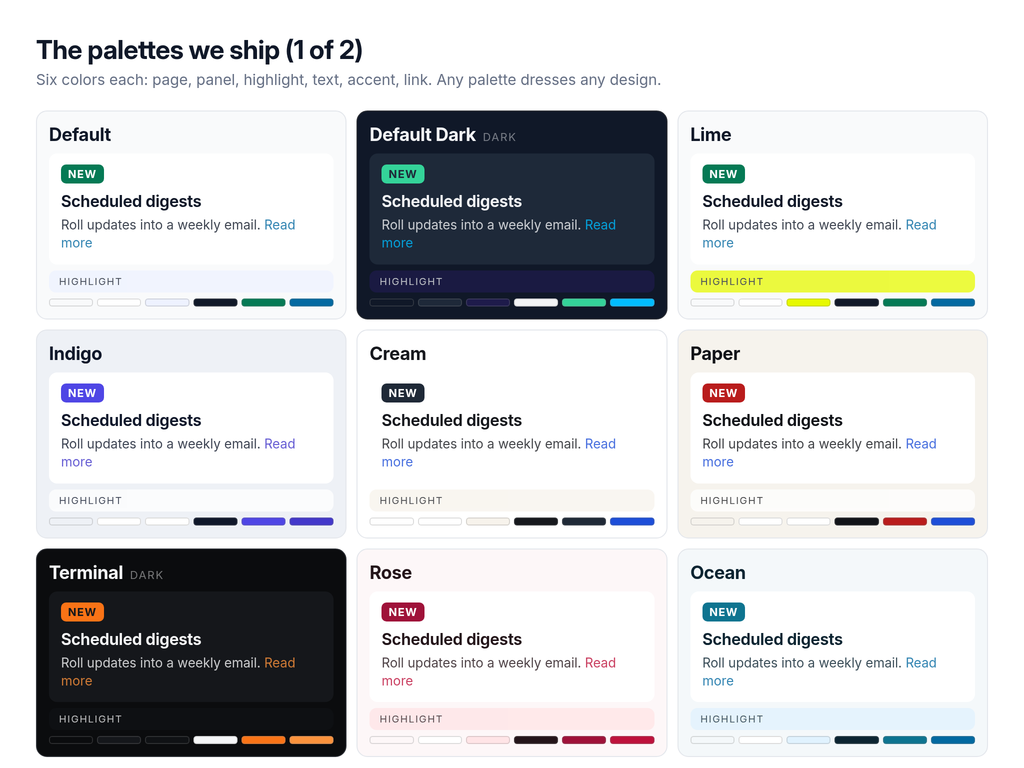
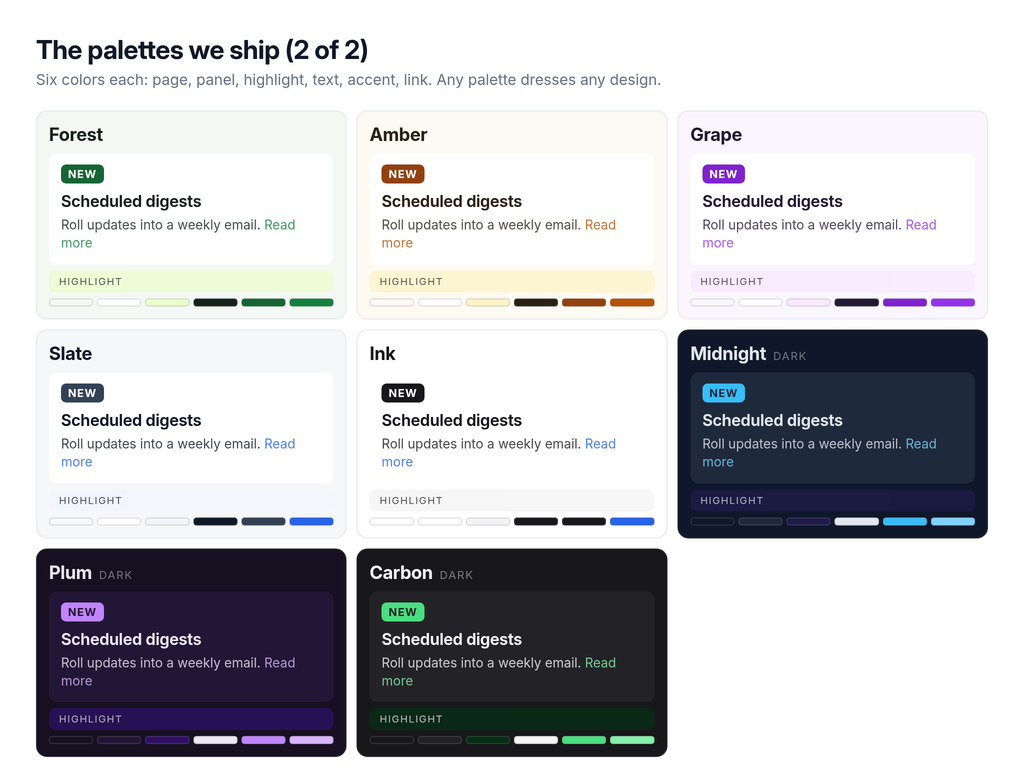
Seventeen palettes that you can use with any design
A palette is six colors: page, panel, highlight, text, accent, link. Everything else the page paints — body copy, dates, hairlines, the ink on a button, link hover — falls out of those six on its own.
Six of them were drawn for a particular design and show up when you switch to it. But that's just a suggestion. Go wild if you want. Console in Rose? Go ahead. Bento in Terminal? That's cool with us.
All seventeen clear 4.5:1 contrast for body text and links against the fill they sit on.
Or bring your own six colors
You can create your own color palette if you want as well!
Use one of ours as a starting point to make your own. Your version saves as a theme your team owns and lands in the picker in your own group, above ours. Edit a theme you already own and it saves in place, and every changelog pointed at it updates. Set your brand colors once, use them everywhere.
Your agent can do all of this too
Driving Changebot through MCP? Ask your agent to create a theme that matches your marketing site. It has all the tools it needs:
list_fonts hands over the pairing table, so an agent knows which body fonts go with a heading font before it commits.
list_themes returns your themes and ours, colors included.
create_theme and update_theme write a palette your team owns.
update_destination sets the design and both fonts. Pass "default" for a font to fall back to the design’s own pair.
preview_destination renders any combination you like at a link you can open, saving nothing.
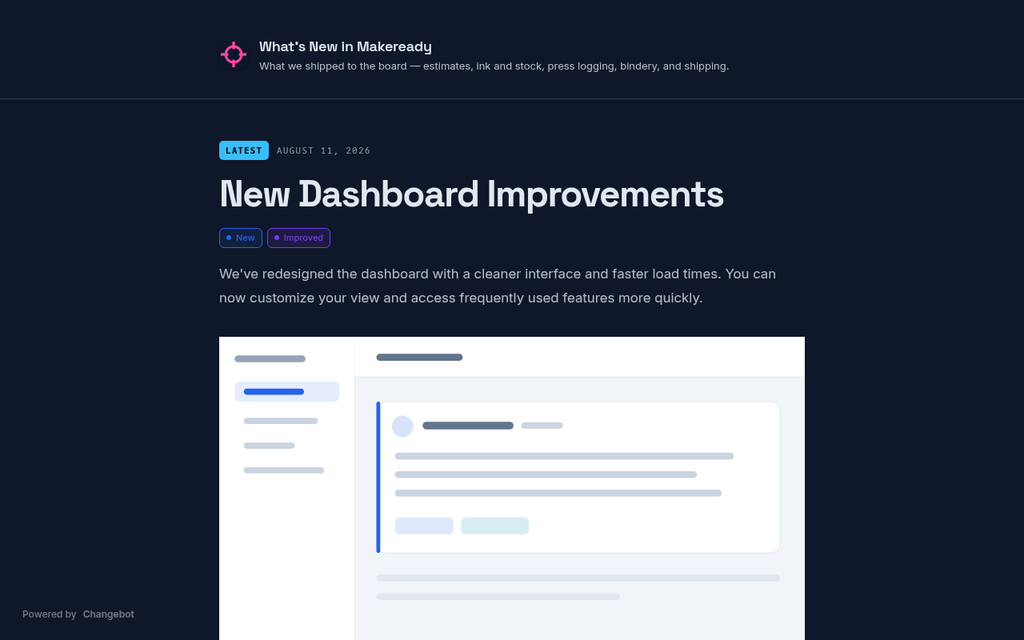
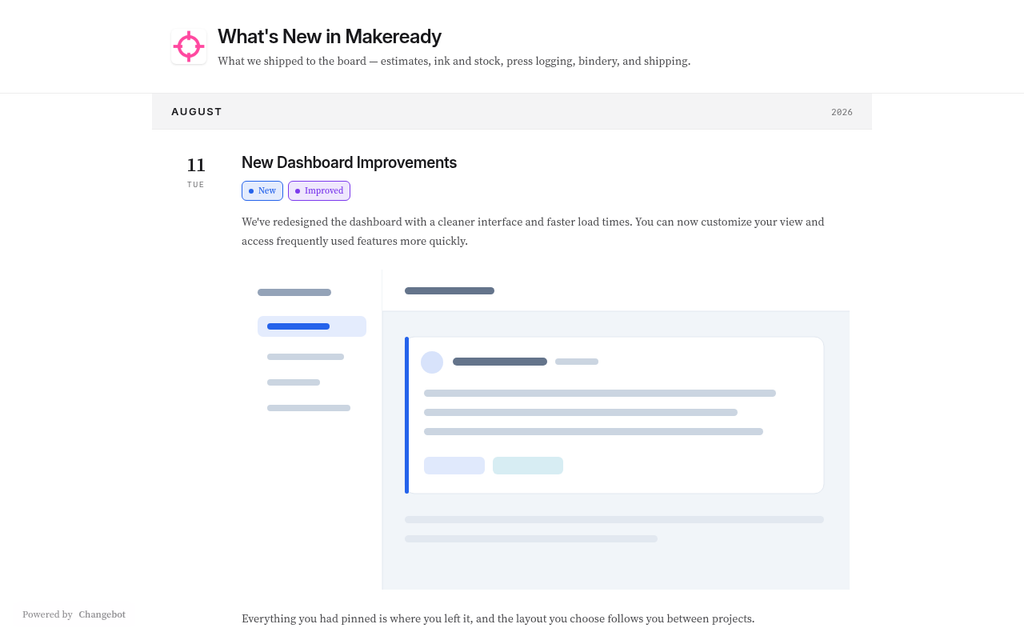
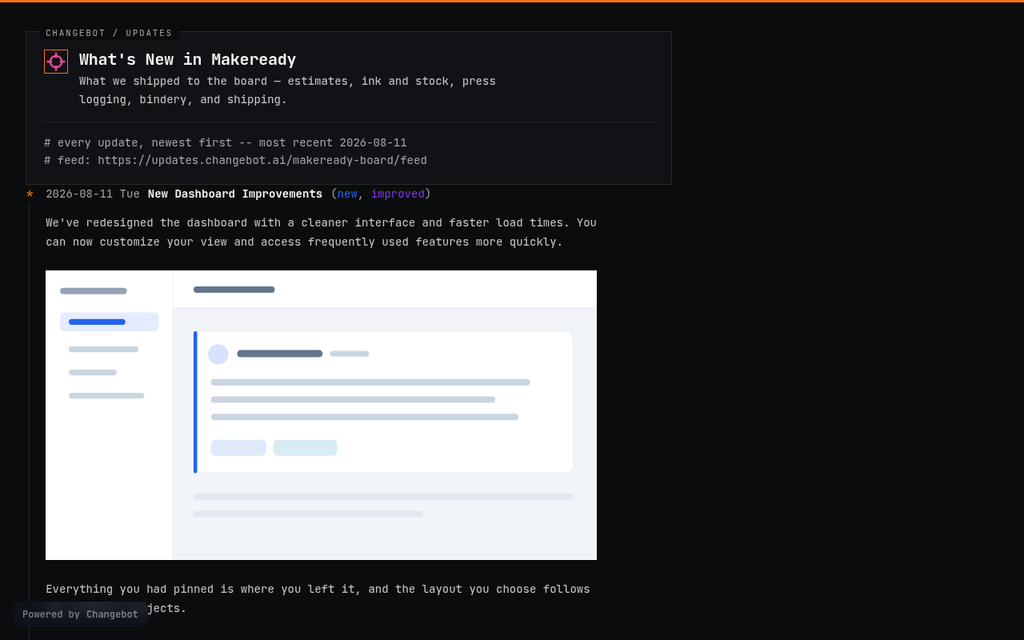
Your hosted changelog has four new designs. Each one arranges updates differently, and each comes with its own font pair and works with any of our color palettes. Switch between them in your hosted changelog settings — the design only changes how the page is laid out, so your updates, tags, tag filtering, and per-update pages carry over.
Here is what each one looks like.
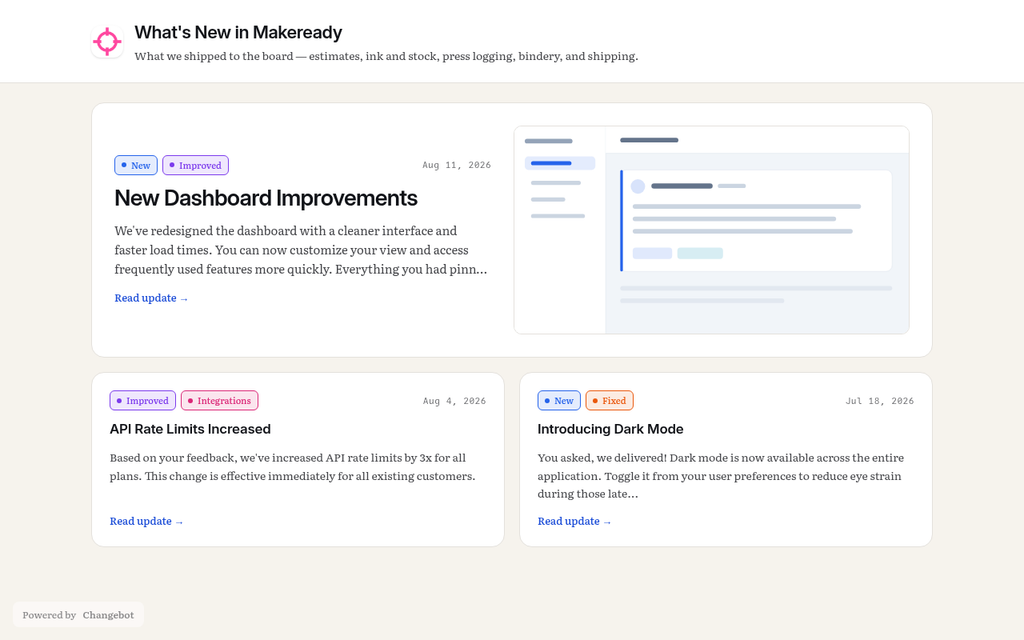
Bento
A two-column grid of tiles under a header with your logo and a row of tag filters. Each tile carries a short excerpt and links to the full update, and the newest update takes a tile across both columns with its first image beside the text. Good for readers who skim.
Headings in Inter, body text in Literata. Shown in the Paper palette.
Spotlight
Your newest update printed whole on a band across the top, with everything older folded into rows that open in place where they sit. Readers can still filter by tag without losing the update in the band.
Headings in Space Grotesk, body text in Inter. Shown in the Midnight palette.
Ledger
Updates gathered under the month they shipped in, with the month name parked at the top of the screen while its entries scroll past. Each entry sits beside the day of the month it shipped on. Use it when the shape of your release history is the thing you want to show.
Headings in Inter, body text in Source Serif 4. Shown in the Ink palette.
Console
The changelog as a terminal session, for a product whose readers are developers. Sharp corners throughout, your logo in a boxed banner, the tag filter written as a command line, and the updates drawn the way git log --graph draws commits.
Set in JetBrains Mono. Shown in the Terminal palette.
Trying one
Open your hosted changelog settings and pick a design. You can preview any design against any palette before you save, and if you have pinned a font pair to your changelog it stays put when you switch — reset to the pair the design was drawn with whenever you want.
.png)